Home | Services | Prices | Covered Area | Contact Us

Computers infected with viruses are common these days but can be avoided if one takes a little time to read (or, at least, be a bit cautious)before clicking
on a link or open an email attachment. Even an experienced user might not realize that his or her computer is infected with a virus (Trojans or Worm).
Viruses, or malware, can hide among regular files and they will even have the same file name as a windows system file,
therefore, camouflaging themselves as standard windows required file.
Symptoms of a Computer Virus
How can you tell if you Laptop or Desktop pc is infected with a virus? Read below for symptoms of a computer virus!
If you suspect or confirm that your computer is infected with a computer virus but not sure, the following are some primary indicators that a computer may be infected:
* The computer runs slower than usual.
* The computer stops responding, or it locks up frequently.
* The computer crashes, and then it restarts every few minutes.
* The computer restarts on its own. Additionally, the computer does not run
as usual.
* Applications on the computer do not work correctly.
* Disks or disk drives are inaccessible.
* You cannot print items correctly.
* You see unusual error messages.
* You see distorted menus and dialog boxes.
* Anti-Spyware stops listing Spywares even though you believe that your PC has
been infected.
* There is a double extension on an attachment that you recently opened, such
as a .jpg, .vbs, .gif, or .exe. extension.
* An antivirus program is disabled for no reason. Additionally, the antivirus
program cannot be restarted.
* An antivirus program cannot be installed on the computer, or the antivirus
program will not run.
* New icons appear on the desktop that you did not put there, or the icons are
not associated with any recently installed programs.
* Strange sounds or music plays from the speakers unexpectedly.
* A program disappears from the computer even though you did not intentionally
remove the program.
Different Types of Computer Viruses
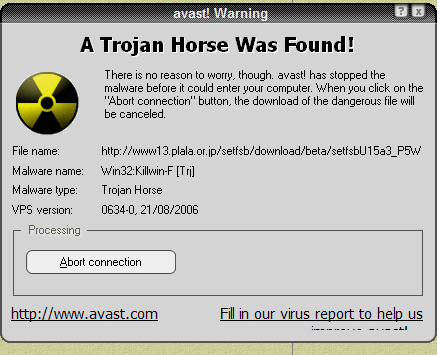
Computer Virus is a kind of malicious software written intentionally to enter
a computer without the user’s permission or knowledge,
with an ability to replicate itself, thus continuing to spread. Some viruses do little but replicate others can cause severe harm
or adversely effect program and performance of the system. A virus should never be assumed harmless and left on a system.
1.- Resident Viruses - Resident viruses contain a replication module that is similar to the one that is employed by nonresident viruses. This module, however, is not called by a finder module.
The virus loads the replication module into memory when it is executed instead and ensures that this module is executed each time the
operating system is called to perform a certain operation. The replication module can be called,
for example, each time the operating system executes a file.
In this case the virus infects every suitable program that is executed on the
computer.
2.- Direct Action Viruses - Its purpose is
to replicate and take action when it is executed
3.- Overwrite Viruses - Deletes information
contained in the infected file
4.- Boot Virus - This type of virus affects the boot sector of a hard disk
5.- Macro Virus - A macro virus is a virus that is written
in a macro language: that is to say, a language built into a software application
such as a word processor.
Since some applications (notably, but not exclusively, the parts of Microsoft Office) allow macro programs to be embedded in documents,
so that the programs may be run automatically when the document is opened, this provides a distinct mechanism by which viruses can be spread.
This is why it may be dangerous to open unexpected attachments
in e-mails. Modern antivirus software detects macro viruses as well as other
types.
6.- Directory Virus -This virus changes the paths that indicates the location of a file.
7.- Polymorphic Virus - Polymorphic code is code that uses
a polymorphic engine to mutate while keeping the original algorithm intact.
That is, the code changes itself each time it runs, but the function of the code (its semantics) will not change at all.
This technique is sometimes used by computer viruses, shellcodes and computer worms to hide their presence.
8.- File Infectors Virus - This type of virus infects program
or executable files, with an .EXE or .COM extension.
When one of these programs are run, the virus is then activated producing the damaging effects it was programmed to carry out.
9.- Companion Viruses - Companion viruses can be considered
file infector viruses like resident or direct action types.
They are known as companion viruses because once they get into the system they "accompany" the other files that already exist.
In other words, in order to carry out their infection routines, companion viruses can wait in memory until a program is run (resident viruses)
or act immediately by making copies of themselves (direct action viruses).
10.- FAT Virus - This virus attacks the File Allocation Table.
This type of virus attack can be especially dangerous, by preventing access
to certain sections of the disk where important files are stored. Damage caused can result in information losses from individual files or even entire directories.
11.- Worms - A computer worm is a self-replicating malware
computer program. It uses a computer network to send copies of itself to other
nodes
(computers on the network) and it may do so without any user intervention. This is due to security shortcomings on the target computer. Unlike a virus, it
does not need to attach itself to an existing program. Worms almost always cause at least some harm to the network, if only by consuming bandwidth,
whereas viruses almost always corrupt or modify files on a targeted computer.
12.- Trojans or Trojan Horses - is non-self-replicating malware
that appears to perform a desirable function for the user but instead
facilitates unauthorized access to the user's computer system. The term is derived from the Trojan Horse story in Greek mythology.
|
Our policy : No fix, No Solutions, No charge. No hourly fees. We charge a single flat rate for any computer repair. 100% satisfaction guaranteed. |
How to Avoid Computer Viruses?
* Use a software firewall if you cannot afford a hardware firewall
* Use a hardware firewall (router) if you are going through a router which offers
a firewall feature
* Use sofware AND hardware firewall - even better
* Run Windows Updates and install critical updates
* Run Office Updates and install critical updates
* Install an Antivirus Software and keep it current
* Set your antivirus software to automatically scan the attachment before it
is open
* Do not open an e-mail attachment without scanning the attachment first. You
might be tempted to open an attachement from an email you believe it to be from
a relative
but think twice before opening that attachment because your friend's PC could be infected and the email you are receiving might be coming from that infected pc without your friend's knowledge.
* If you are tempted to open that attachment you received from your friend or
a family member, pause of a moment and contact the
sender and verifiy that he or she indeed sent you that email.
* Do not click on any pop-up or pop-under window telling you that your PC is
infected with a virus and urging you to run a
scan to detect and remove a virus. Run your own antivirus and
antispyware software that you have installed yourself.
* Don't just download software, trialware or freeware from just any website.
* Scan the downloaded software for viruses and spyware first before even thinking
of installing it even if it is from a reputable website that you trust.
* If your computer is a shared computer (among family members), set every user
with a limited account.
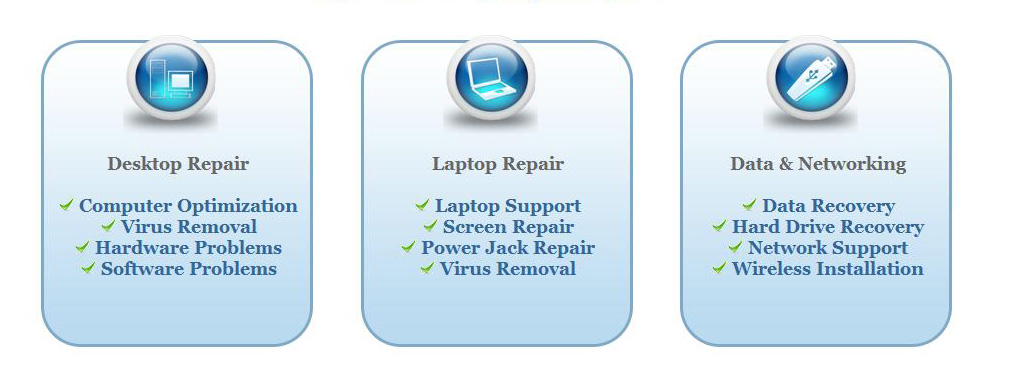
We offer onsite computer repair service in Los Angeles area 7 days a week, Call us anytime !!!!
Computer Repair Services Los Angeles: Los
Angeles Computer Repair Service -- Los Angeles
Laptop Repair service -- Los Angeles Computer
Virus Removal -- Laptop LCD Screen Replacement
Laptop Keyboard Replacement -- Los
Angeles Data Recovery--Los Angeles PC Complete
Tune Up -- Laptop DC IN Jack Repair
Most popular Articles : How to avoid Viruses -- What is Spyware ? -- How to properly uninstall a program in your computer ? -- Should I buy a laptop or desktop computer ?
How drivers work on my computer ? -- How to check my computer hard drive for errors -- Erase your hard drive before disposing your old computer
What is a computer's RAM ?-- How to change your screen resolution -- When Should I turn off my computer ? -- My Computer is not booting up. What can I do ?
How to burn a CD/DVD in WIN 7 ? -- Run vs Save when downloading a program -- How to delete history and temporary internet files -- Be very careful with email attachments
The Compucare Computer Repair Services Los Angeles - Resources
The Compucare support@thecompucare.com 323-309-2784 |
Computer repair Los Angeles, Computer repair service Los Angeles, Computer repair technician Los angeles, onsite computer repair Los angeles, computer repair services los angeles, Computer repair shop Los Angeles, PC Repair Los Angeles, Los Angeles Laptop Repair, Los Angeles Laptop Service, la computer repair, mobile computer repair, computer repairs los angeles, it support los angeles |
Computer repair Los Angeles, Computer repair service Los Angeles, Computer repair technician Los angeles, onsite computer repair Los angeles, computer repair services los angeles, Computer repair shop
Los Angeles, PC Repair Los Angeles, Los Angeles Laptop Repair, Los Angeles Laptop Service, la computer repair, mobile computer repair, computer repairs los angeles, it support los angeles
ZipCodes :90001,90002,90003,90004,90005,90006,90007,90008,90009,90010,90011,90012,90013,90014,90015,90016,90017,90018,90019,90020,90021,90022,90023,90024,90025,90026,90027,90028,90029,90030,90031,90032,90033,90034,90035,90036,90037,90038,90039,90040,
90041,90042,90043,90044,90045,90046,90047,90048,90049,90050,90051,90052,90053,90054,90055,90056,90057,90058,90059,90060,90071,90072,90073,90074,90075,90076,90077,90078,90079,90080,90081,90082,90083,90084,90086,90087,90088,90089,
90091,90093,90094,90095,90096,90099,90101,90103,90189,90230,91331,91335,90009,90009