
Home | Services | Prices | Covered Area | Contact Us

You can burn a data CD or data DVD in Windows 7 using Media Player.
If you burn a data CD or data DVD in Windows 7 using Media Player, it will be able to hold numerous hours of music. Video files and pictures can also be added to the data discs.

Advantages of using windows media player:
When you burn a data CD or data DVD in Windows 7, the Windows Media Player does not transform the selected files to
a different format prior to saving them to a blank data disc, so the files stay in the compressed condition. This allows you to put much more items on a single disc.
As the format of the files is not changed, the quality of the files remains the same.
You can burn a data CD or data DVD in Windows 7 using Media Player as follows:
• Click Start.
• Click All Programs.
• Select Windows Media Player.
• Click the Burn tab in the Player Library.
•Click Burn options and select Data DVD or CD.
• Insert a blank disc into the CD or DVD burner of your computer.
•Close the AutoPlay dialog box if it comes into sight.
• Some people have more than one CD drive in their computer. If you have multiple CD drives in your computer too, select the one you would like to use in the navigation window.
• Look for the songs you want to burn.
• In order to make your burn list, drag the songs from the details pane in the center of the Player Library to the list pane which is on its right side.
• You can also change the order of the items in the burn list by dragging them upward or downward in the list.
• To remove a song from your list, simply right-click on the item and click on Remove from list.
• After you finish making your list, click upon Start burn.
|
Our policy : No fix, No Solutions, No charge. No hourly fees. We charge a single flat rate for any computer repair. 100% satisfaction guaranteed. |
It can take a while to burn a data disc. If your selected items cannot fit in one disc, you also have the choice of burning the rest of the items to a different disc.
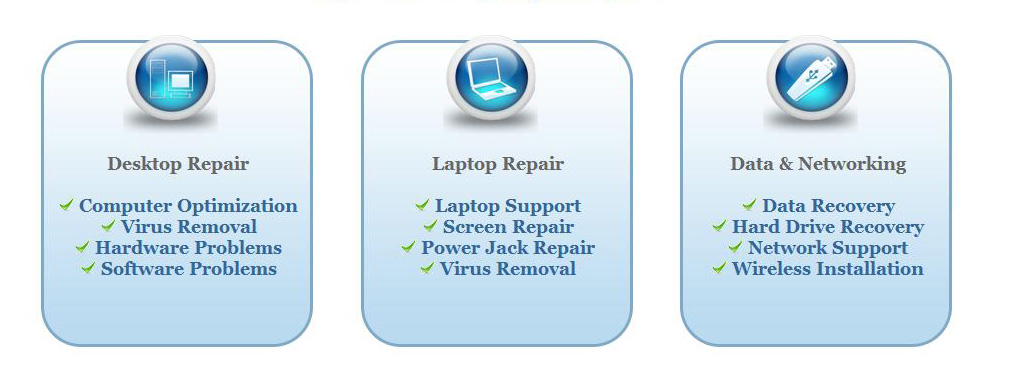
We offer onsite computer repair service in Los Angeles area 7 days a week, Call us anytime !!!!
Computer Repair Services Los Angeles: Los
Angeles Computer Repair Service -- Los Angeles
Laptop Repair service -- Los Angeles Computer
Virus Removal -- Laptop LCD Screen Replacement
Laptop Keyboard Replacement -- Los
Angeles Data Recovery--Los Angeles PC Complete
Tune Up -- Laptop DC IN Jack Repair
Most popular Articles : How to avoid Viruses -- What is Spyware ? -- How to properly uninstall a program in your computer ? -- Should I buy a laptop or desktop computer ?
How drivers work on my computer ? -- How to check my computer hard drive for errors -- Erase your hard drive before disposing your old computer
What is a computer's RAM ?-- How to change your screen resolution -- When Should I turn off my computer ? -- My Computer is not booting up. What can I do ?
How to burn a CD/DVD in WIN 7 ? -- Run vs Save when downloading a program -- How to delete history and temporary internet files -- Be very careful with email attachments
The Compucare Computer Repair Services Los Angeles - Resources
The Compucare support@thecompucare.com 323-309-2784 |
Computer repair Los Angeles, Computer repair service Los Angeles, Computer repair technician Los angeles, onsite computer repair Los angeles, computer repair services los angeles, Computer repair shop Los Angeles, PC Repair Los Angeles, Los Angeles Laptop Repair, Los Angeles Laptop Service, la computer repair, mobile computer repair, computer repairs los angeles, it support los angeles |
Computer repair Los Angeles, Computer repair service Los Angeles, Computer repair technician Los angeles, onsite computer repair Los angeles, computer repair services los angeles, Computer repair shop
Los Angeles, PC Repair Los Angeles, Los Angeles Laptop Repair, Los Angeles Laptop Service, la computer repair, mobile computer repair, computer repairs los angeles, it support los angeles
ZipCodes :90001,90002,90003,90004,90005,90006,90007,90008,90009,90010,90011,90012,90013,90014,90015,90016,90017,90018,90019,90020,90021,90022,90023,90024,90025,90026,90027,90028,90029,90030,90031,90032,90033,90034,90035,90036,90037,90038,90039,90040,
90041,90042,90043,90044,90045,90046,90047,90048,90049,90050,90051,90052,90053,90054,90055,90056,90057,90058,90059,90060,90071,90072,90073,90074,90075,90076,90077,90078,90079,90080,90081,90082,90083,90084,90086,90087,90088,90089,
90091,90093,90094,90095,90096,90099,90101,90103,90189,90230,91331,91335,90009,90009