
Home | Services | Prices | Covered Area | Contact Us

My personal rule is if I am going to be away from my computer for an hour or less, then I leave the computer on,
but I turn the monitor off since the monitor generally uses more electricity than the PC.
If I am going to be away from my computer for more than an hour I shut down the computer.
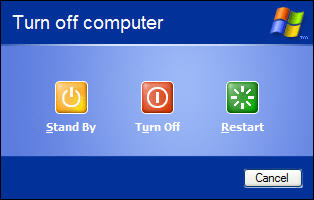
The reasoning behind this is that booting your computer creates more wear and tear on your PC’s components, such as the harddrive,
than leaving it running. The other side of the coin is that while your PC is on, your harddrive is constantly spinning.
Also, if there is an impending storm approaching, I always power down my PC and UNPLUG IT FROM THE WALL until the storm has passed.
Also, the correct way to power off your PC is to utilize the user interface.
Click the Start button, Shutdown button, and then click on the next shutdown button.
|
Our policy : No fix, No Solutions, No charge. No hourly fees. We charge a single flat rate for any computer repair. 100% satisfaction guaranteed. |
Remember : Never power down your PC using the physical power switch, usually located on the front of the computer.
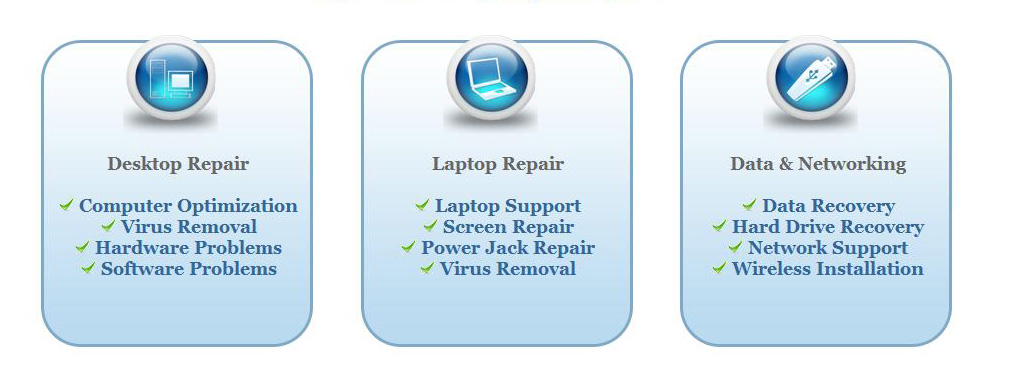
We offer onsite computer repair service in Los Angeles area 7 days a week, Call us anytime !!!!
Computer Repair Services Los Angeles: Los
Angeles Computer Repair Service -- Los Angeles
Laptop Repair service -- Los Angeles Computer
Virus Removal -- Laptop LCD Screen Replacement
Laptop Keyboard Replacement -- Los
Angeles Data Recovery--Los Angeles PC Complete
Tune Up -- Laptop DC IN Jack Repair
Most popular Articles : How to avoid Viruses -- What is Spyware ? -- How to properly uninstall a program in your computer ? -- Should I buy a laptop or desktop computer ?
How drivers work on my computer ? -- How to check my computer hard drive for errors -- Erase your hard drive before disposing your old computer
What is a computer's RAM ?-- How to change your screen resolution -- When Should I turn off my computer ? -- My Computer is not booting up. What can I do ?
How to burn a CD/DVD in WIN 7 ? -- Run vs Save when downloading a program -- How to delete history and temporary internet files -- Be very careful with email attachments
The Compucare Computer Repair Services Los Angeles - Resources
The Compucare support@thecompucare.com 323-309-2784 |
Computer repair Los Angeles, Computer repair service Los Angeles, Computer repair technician Los angeles, onsite computer repair Los angeles, computer repair services los angeles, Computer repair shop Los Angeles, PC Repair Los Angeles, Los Angeles Laptop Repair, Los Angeles Laptop Service, la computer repair, mobile computer repair, computer repairs los angeles, it support los angeles |
Computer repair Los Angeles, Computer repair service Los Angeles, Computer repair technician Los angeles, onsite computer repair Los angeles, computer repair services los angeles, Computer repair shop
Los Angeles, PC Repair Los Angeles, Los Angeles Laptop Repair, Los Angeles Laptop Service, la computer repair, mobile computer repair, computer repairs los angeles, it support los angeles
ZipCodes :90001,90002,90003,90004,90005,90006,90007,90008,90009,90010,90011,90012,90013,90014,90015,90016,90017,90018,90019,90020,90021,90022,90023,90024,90025,90026,90027,90028,90029,90030,90031,90032,90033,90034,90035,90036,90037,90038,90039,90040,
90041,90042,90043,90044,90045,90046,90047,90048,90049,90050,90051,90052,90053,90054,90055,90056,90057,90058,90059,90060,90071,90072,90073,90074,90075,90076,90077,90078,90079,90080,90081,90082,90083,90084,90086,90087,90088,90089,
90091,90093,90094,90095,90096,90099,90101,90103,90189,90230,91331,91335,90009,90009