
Home | Services | Prices | Covered Area | Contact Us

When it comes to uninstalling a program in Windows, we are often surprised to
find people are doing it incorrectly, resulting in corrupt files, system crashes
and other problems.
On a Mac, you simply grab the program folder and drag it into the Trash. Seems simple enough.
But the Windows registry system is a bit more complicated. Dragging a Windows program into the Recycle Bin will not only cause problems with your computer,
the program will not be uninstalled and may permanently reside on your computer until you reformat and reinstall Windows.
When you install a program in Windows, bits of the program are scattered throughout your computer.
Often, when you think you have successfully removed a program, remnants of it still reside on your PC. There are often no serious repercussions
because of this, but over time, these remnants might cause your system to bog down or behave erratically.
|
Our policy : No fix, No Solutions, No charge. No hourly fees. We charge a single flat rate for any computer repair. 100% satisfaction guaranteed. |
Below are various ways to uninstall programs.
1.- Uninstall A Program In A Computer Running Windows XP
•Go to Start>Control Panel>Add / Remove Programs.
•Wait for the programs to populate the Window.
•Highlight the program you want to remove.
•Click Change / Remove and follow any prompts until the program disappears
from the list.
2.- Uninstall A Program In A Computer Running Windows Vista or Windows 7
•Click the Start button, then choose Control Panel.
•In the Programs section, click Uninstall a program.
•Or (if you are using the Classic View of the Control Panel, double-click
on the Programs and Features icon instead).
•Wait for the programs to load, and then click Uninstall
.
In Conclusion
So before you attempt to remove a program, think before you delete. The last
thing you want is orphaned bits of software strewn across your system.
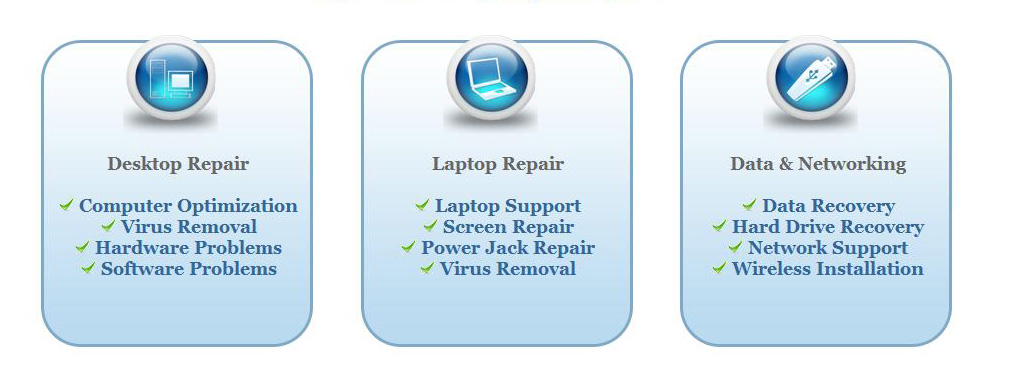
We offer onsite computer repair service in Los Angeles area 7 days a week, Call us anytime !!!!
Computer Repair Services Los Angeles: Los
Angeles Computer Repair Service -- Los Angeles
Laptop Repair service -- Los Angeles Computer
Virus Removal -- Laptop LCD Screen Replacement
Laptop Keyboard Replacement -- Los
Angeles Data Recovery--Los Angeles PC Complete
Tune Up -- Laptop DC IN Jack Repair
Most popular Articles : How to avoid Viruses -- What is Spyware ? -- How to properly uninstall a program in your computer ? -- Should I buy a laptop or desktop computer ?
How drivers work on my computer ? -- How to check my computer hard drive for errors -- Erase your hard drive before disposing your old computer
What is a computer's RAM ?-- How to change your screen resolution -- When Should I turn off my computer ? -- My Computer is not booting up. What can I do ?
How to burn a CD/DVD in WIN 7 ? -- Run vs Save when downloading a program -- How to delete history and temporary internet files -- Be very careful with email attachments
The Compucare Computer Repair Services Los Angeles - Resources
The Compucare support@thecompucare.com 323-309-2784 |
Computer repair Los Angeles, Computer repair service Los Angeles, Computer repair technician Los angeles, onsite computer repair Los angeles, computer repair services los angeles, Computer repair shop Los Angeles, PC Repair Los Angeles, Los Angeles Laptop Repair, Los Angeles Laptop Service, la computer repair, mobile computer repair, computer repairs los angeles, it support los angeles |
Computer repair Los Angeles, Computer repair service Los Angeles, Computer repair technician Los angeles, onsite computer repair Los angeles, computer repair services los angeles, Computer repair shop
Los Angeles, PC Repair Los Angeles, Los Angeles Laptop Repair, Los Angeles Laptop Service, la computer repair, mobile computer repair, computer repairs los angeles, it support los angeles
ZipCodes :90001,90002,90003,90004,90005,90006,90007,90008,90009,90010,90011,90012,90013,90014,90015,90016,90017,90018,90019,90020,90021,90022,90023,90024,90025,90026,90027,90028,90029,90030,90031,90032,90033,90034,90035,90036,90037,90038,90039,90040,
90041,90042,90043,90044,90045,90046,90047,90048,90049,90050,90051,90052,90053,90054,90055,90056,90057,90058,90059,90060,90071,90072,90073,90074,90075,90076,90077,90078,90079,90080,90081,90082,90083,90084,90086,90087,90088,90089,
90091,90093,90094,90095,90096,90099,90101,90103,90189,90230,91331,91335,90009,90009