Home | Services | Prices | Covered Area | Contact Us

I have combined five of the most common problems that can cause your computer not to boot.
Try these steps whenever you experience this problem with your computer:
* Inspect your power supply’s voltage switch
One possibility to troubleshoot when Windows wont boot up, is checking the voltage
of the power unit.
Power supplies have voltage switches that can be changed to the appropriate voltage for your region of the planet.
For instance, here in North America, we used the 115V option, while in Europe and its surrounding areas,
you need to use the 230V option.
Believe it or not, I have seen several instances where a customer would contact us to “repair” their computer,
only to realize ONE minute after arriving to the person’s location, the voltage switch needs to be changed and nothing else!
Always be sure to check that switch either on your power adapter (laptops),
or power supply (desktops), before going any further in troubleshooting.
* Are you seeing anything on the monitor?
The first thing you naturally do when troubleshooting a computer problem, is
looking at your monitor. Let’s get a little more involved in
paying attention to the monitor (or screen), in this case. Do you see anything at all on the monitor or is it “black”?
Do you see the “power light” illuminating? Is it blinking? Is it green colored or amber colored?
Note: a blinking power light on a monitor indicates several things not limited to: the monitor is either in hibernation/sleep mode,
is disconnected from the video output, or has the incorrect resolution set. Would you guess that many people complain
that Windows wont boot up, only to find that the monitor was either not powered on, or wasn’t plugged into the computer properly!
In summary, always pay attention to what clues your monitor may be leaving you, when troubleshooting.
|
Our policy : No fix, No Solutions, No charge. No hourly fees. We charge a single flat rate for any computer repair. 100% satisfaction guaranteed. |
* Do you hear or see any fans spinning, or lights blinking?
When you turn on your computer, are any of the fans spinning or even the power
light blinking? Does the computer’s hard drive
activity light blink to show activity? If you notice no fans spinning, and there is no hard drive movement (which you can either listen for,
or check by looking at the disk activity light on the PC), you may have a hardware related issue, or there may be an issue with your
power connection (cord/adapter), or your surge protector, or your AC outlet (or a combination of all these).
Before you panic thinking Windows wont boot up, check your power cords first, since they are usually the reason for computers that don’t power up successfully.
When your PC has no fan movement, is making no sounds, and otherwise won’t boot; there is a hardware issue that should be inspected by a
professional or experienced technician to avoid further damage.
* Pay close attention to (pretty loud) beeping sounds
When Windows Wont Boot and you have problems with your computer that is detected
by the BIOS (Basic Input Output System),
there will be a series of beeping sounds, immediately after turning on your PC. You might see a black screen on your computer
along with the beeping sounds when you try to power up the computer. Beep codes vary in the intervals and duration of the beeping,
but any beeping sounds that doesn’t occur normally (such as a quick beep upon booting), that ALWAYS spells a hardware issue that needs to be addressed.
Common reasons for hearing these beeps can consist of (but isn’t limited to):
- Bad memory (RAM)
- An overheating computer
- A processor (CPU) that is going bad or has already failed
- Incompatible BIOS settings (Setup Menu settings)
- Add-on card(s) (PCI card) needing to be connected tighter (video cards)
A general rule of thumb is to stay tuned to any beeping when you power up your
computer. You will only hear the “problem beeps” when
a problem exists that needs to be fixed, so make sure that you don’t throw away or misplace your computer owner’s manual (or motherboard owner’s manual);
it will come in handy when you need help figuring out those dreaded beeps!
* Does your computer power on but doesn’t load Windows successfully
Shortly after turning on your computer, do you see a logo at all? Computers
all go through a POST; also know as a Power On Self Test,
when they are booted. At this stage, a computer detects all of the hardware needed to function, as well as other checks to ensure proper operation.
During POST, you can usually just see a logo and text on the screen, usually in multiple colors or white. If you get to this screen, your computer is
at least booting – CONGRATS! There are ways to fix boot errors by using POST to diagnose the problem.
If your PC doesn’t get past the POST screen, and either gets “caught” before, after or during the Windows logo showing,
it has booted but Windows hasn’t loaded. If your computer restarts, shuts down, freezes on a black or gray screen, or BSODs (blue screens), your problem is software
(Windows) related, and not necessarily hardware related. When a computer has a software problem, it can usually be fixed by an experienced person,
without the need to order expensive hardware.
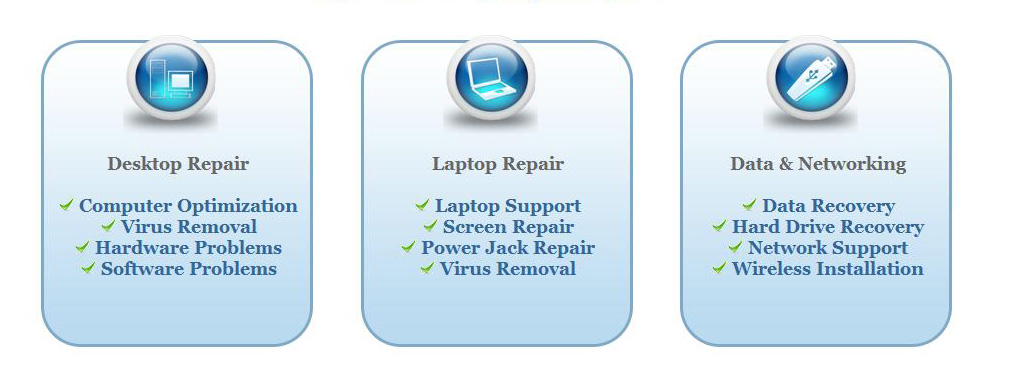
We offer onsite computer repair service in Los Angeles area 7 days a week, Call us anytime !!!!
Computer Repair Services Los Angeles: Los
Angeles Computer Repair Service -- Los Angeles
Laptop Repair service -- Los Angeles Computer
Virus Removal -- Laptop LCD Screen Replacement
Laptop Keyboard Replacement -- Los
Angeles Data Recovery--Los Angeles PC Complete
Tune Up -- Laptop DC IN Jack Repair
Most popular Articles : How to avoid Viruses -- What is Spyware ? -- How to properly uninstall a program in your computer ? -- Should I buy a laptop or desktop computer ?
How drivers work on my computer ? -- How to check my computer hard drive for errors -- Erase your hard drive before disposing your old computer
What is a computer's RAM ?-- How to change your screen resolution -- When Should I turn off my computer ? -- My Computer is not booting up. What can I do ?
How to burn a CD/DVD in WIN 7 ? -- Run vs Save when downloading a program -- How to delete history and temporary internet files -- Be very careful with email attachments
The Compucare Computer Repair Services Los Angeles - Resources
The Compucare support@thecompucare.com 323-309-2784 |
Computer repair Los Angeles, Computer repair service Los Angeles, Computer repair technician Los angeles, onsite computer repair Los angeles, computer repair services los angeles, Computer repair shop Los Angeles, PC Repair Los Angeles, Los Angeles Laptop Repair, Los Angeles Laptop Service, la computer repair, mobile computer repair, computer repairs los angeles, it support los angeles |
Computer repair Los Angeles, Computer repair service Los Angeles, Computer repair technician Los angeles, onsite computer repair Los angeles, computer repair services los angeles, Computer repair shop
Los Angeles, PC Repair Los Angeles, Los Angeles Laptop Repair, Los Angeles Laptop Service, la computer repair, mobile computer repair, computer repairs los angeles, it support los angeles
ZipCodes :90001,90002,90003,90004,90005,90006,90007,90008,90009,90010,90011,90012,90013,90014,90015,90016,90017,90018,90019,90020,90021,90022,90023,90024,90025,90026,90027,90028,90029,90030,90031,90032,90033,90034,90035,90036,90037,90038,90039,90040,
90041,90042,90043,90044,90045,90046,90047,90048,90049,90050,90051,90052,90053,90054,90055,90056,90057,90058,90059,90060,90071,90072,90073,90074,90075,90076,90077,90078,90079,90080,90081,90082,90083,90084,90086,90087,90088,90089,
90091,90093,90094,90095,90096,90099,90101,90103,90189,90230,91331,91335,90009,90009